Installing Another Firmware Version Using a Single File
Before you begin
Make sure to make a backup of your configuration and save the configuration script
before proceeding to the next step. For more details, refer to DGW -Configuration Guide - Configuration
Backup/Restore and DGW Configuration Guide - Configuration Scripts
Import and Export documents published on the Media5 Documentation Portal.
Note:
Our QA tests cover five (5) major releases back for each new release. If you
are upgrading from a load older than five (5) major releases back, you must install
an intermediate version before upgrading to the newest one.
Depending on the type of protocol you will use, the following procedures must be completed.
Steps
Result
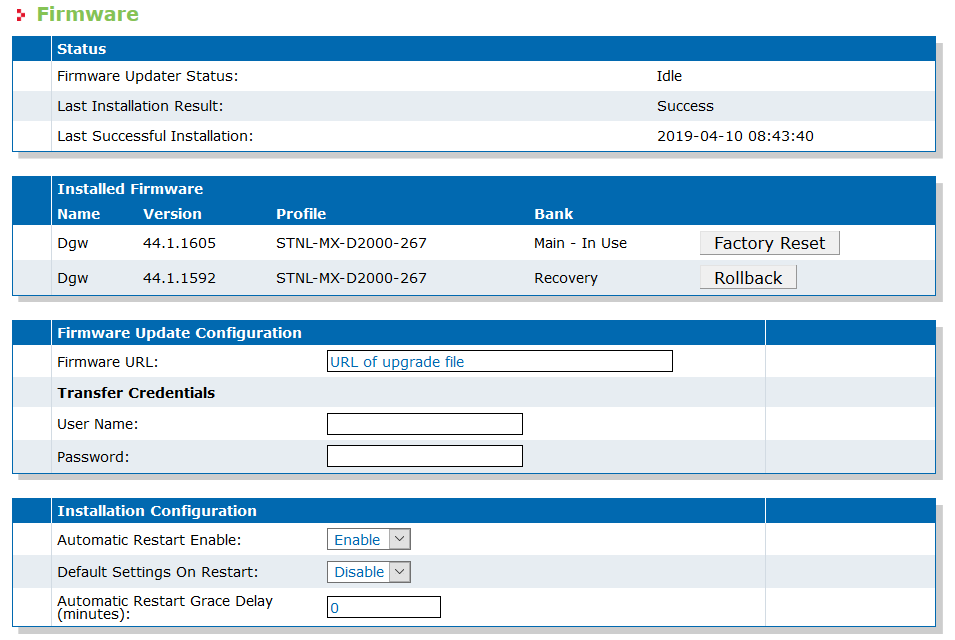
All LEDs will cycle from left to right. The upgrade process should take less than 3
minutes and the unit will be restarted a few times. Once the upgrade will be completed,
the new firmware pack version will appear in the Installed Firmware table
(Management/Firmware).